
seedream/5-5-text-to-image
Seedream 5.5 は 2026 年 11 月 9 日に ByteDance Seed が公開した画像モデルです。未編集の領域を保ったまま同じ画像を繰り返し直せ、透明背景の PNG と、より自然な質感・細かい文字に対応します。
料金: 1K:画像 1 枚あたり 5 クレジット, 1.5K:画像 1 枚あたり 5 クレジット, 2K:画像 1 枚あたり 8 クレジット.
料金更新日
Playground
モデル仕様に合わせて入力済みです。そのまま実行するか、項目を調整してください。

ほかの テキストから画像 モデルを探す

ByteDance のほかの AI モデル
新着・人気の AI モデル
同じ画像を安定して直せる Seedream 5.5 API
Seedream 5.5 は ModelFold 上で文生画像、参照画像からの編集、レイヤー分解の 3 モデルです。同じ画像を何度直しても未編集部分の色がずれにくく、必要なら透明 PNG を返します。
What's New in Seedream 5.5
Seedream 5.5 is a multimodal image generation model built for precise, repeatable edits. The cards below cover its main upgrades and the separate layer decomposition model on ModelFold.
Stable Multi-Turn Editing
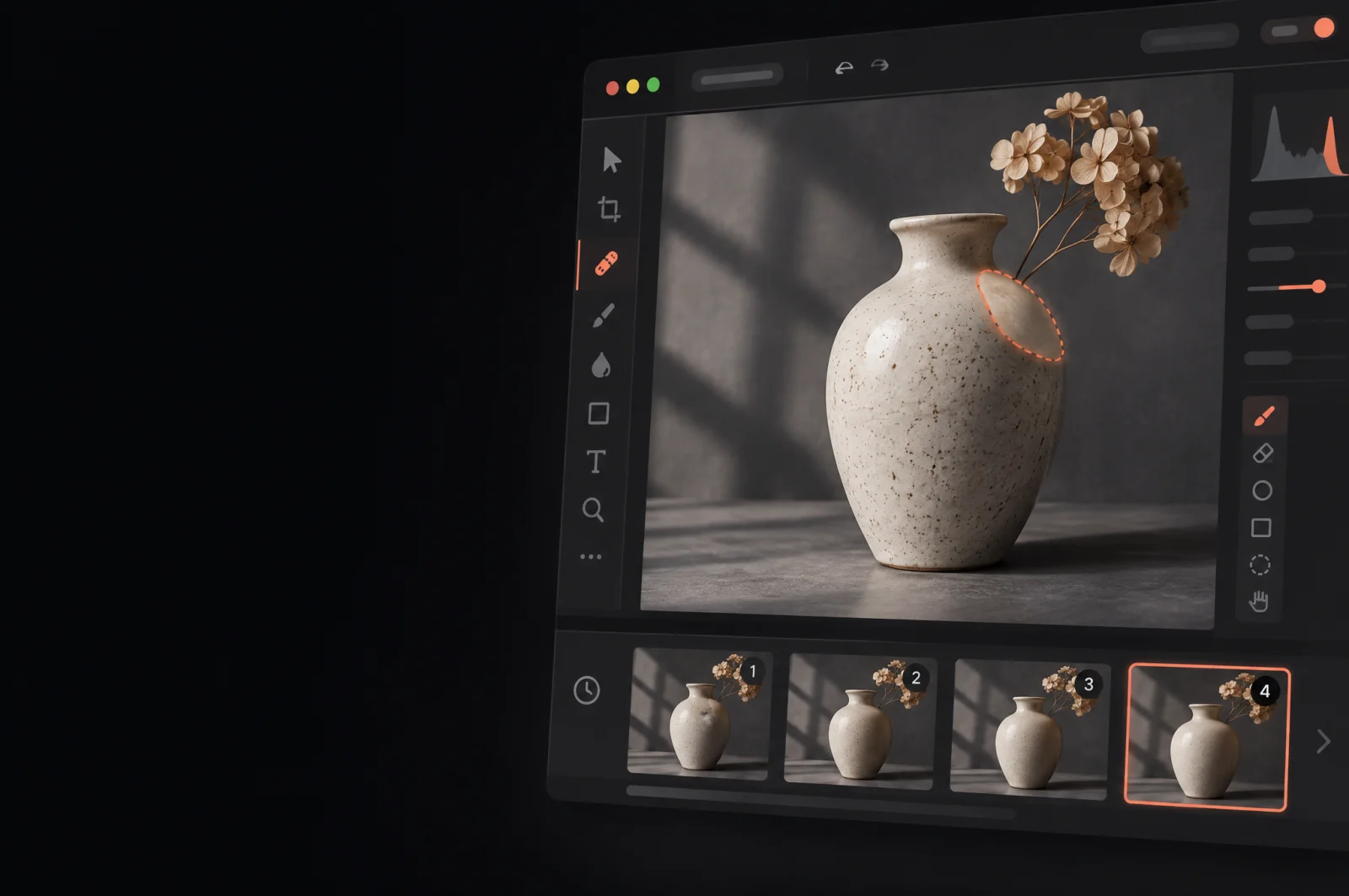
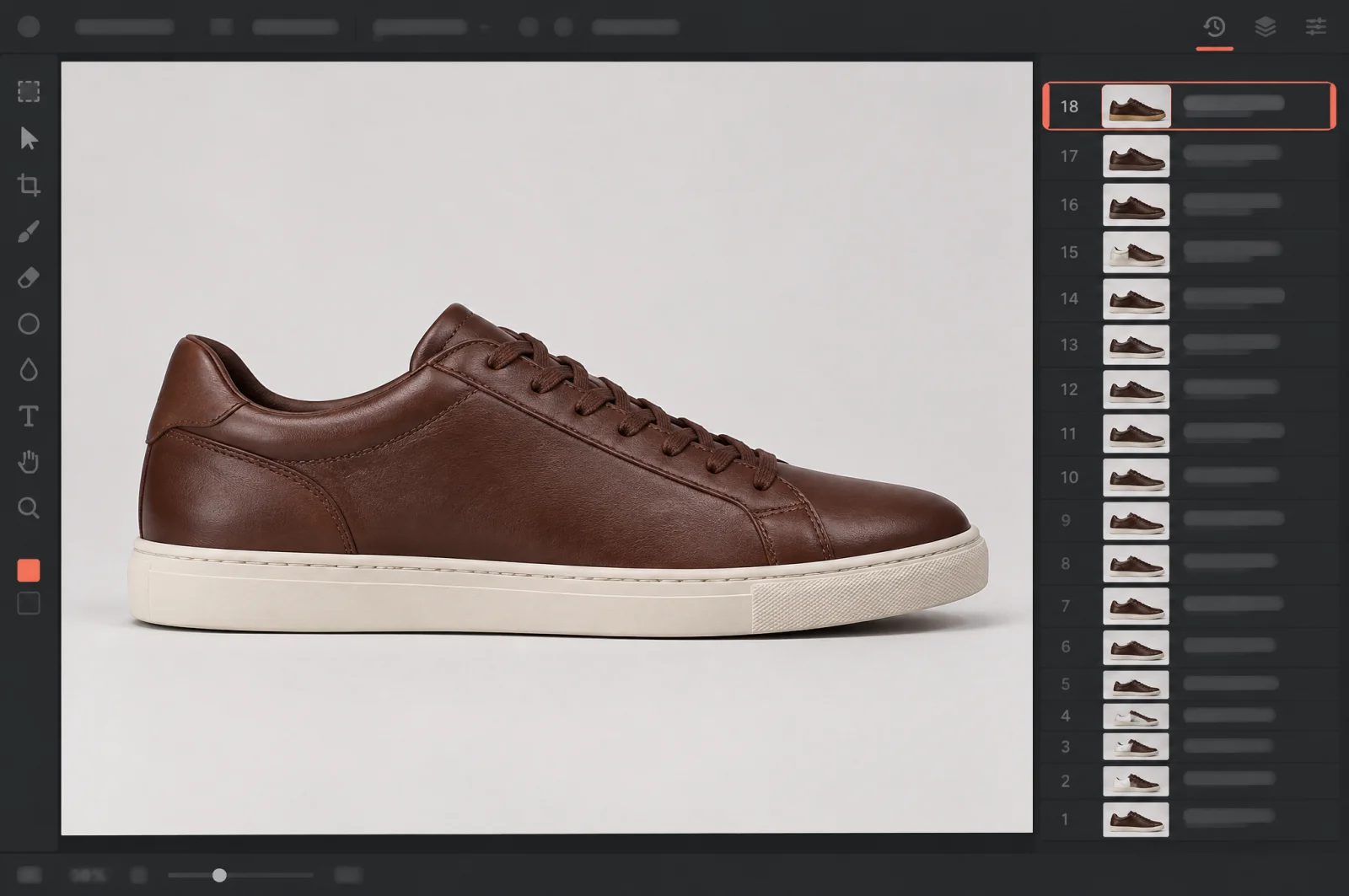
Seedream 5.5 preserves unedited regions at the pixel level, removes color shifts in those areas and reduces detail loss across successive edits, so you can keep working on the same image for up to 100 rounds of editing.
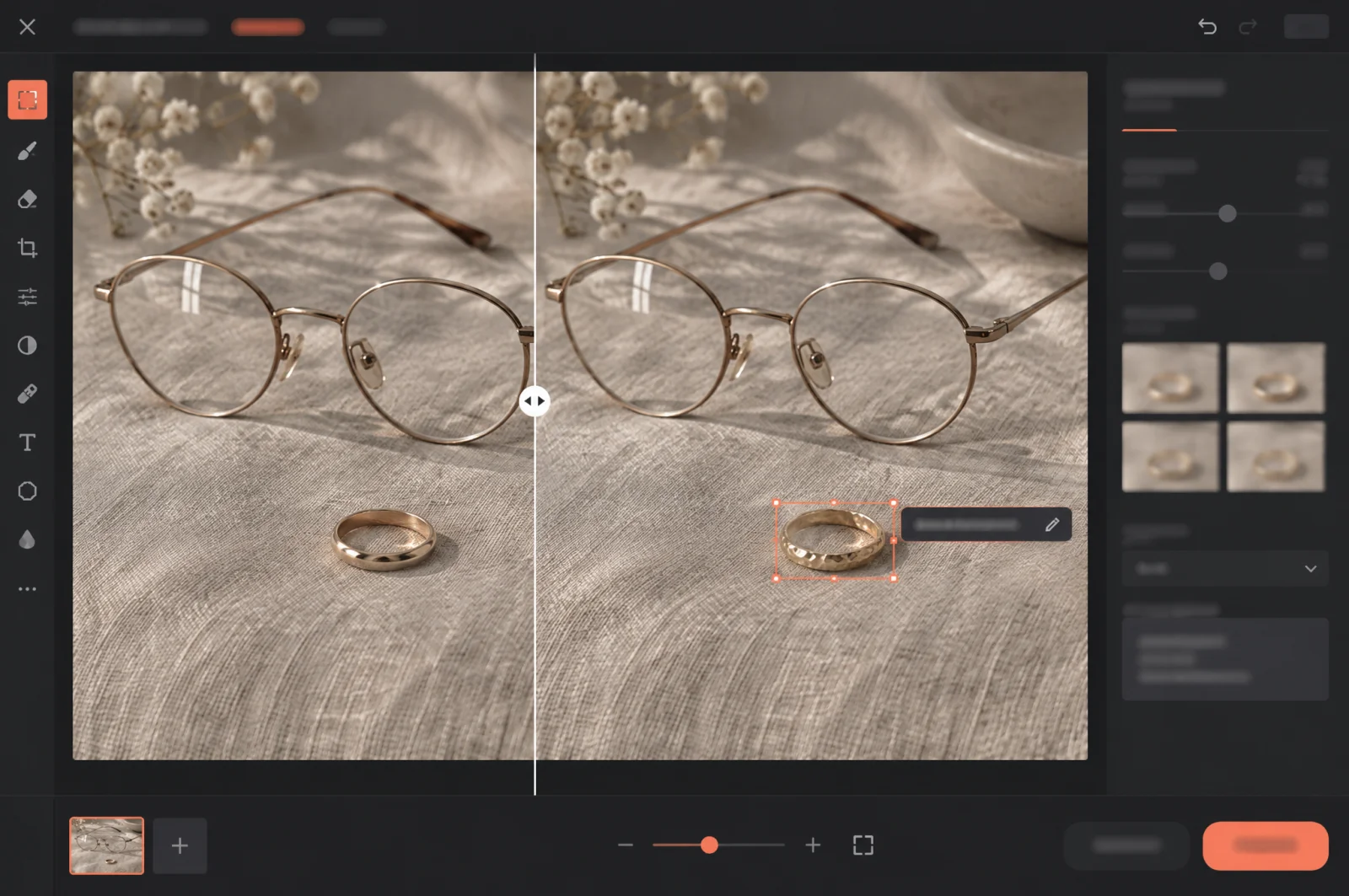
Precise Changes to Small Details
Small items such as rings and eyeglass frames stay editable with precision even after a long run of successive edits, and a moved object keeps its perspective and occlusion coherent with the rest of the scene.
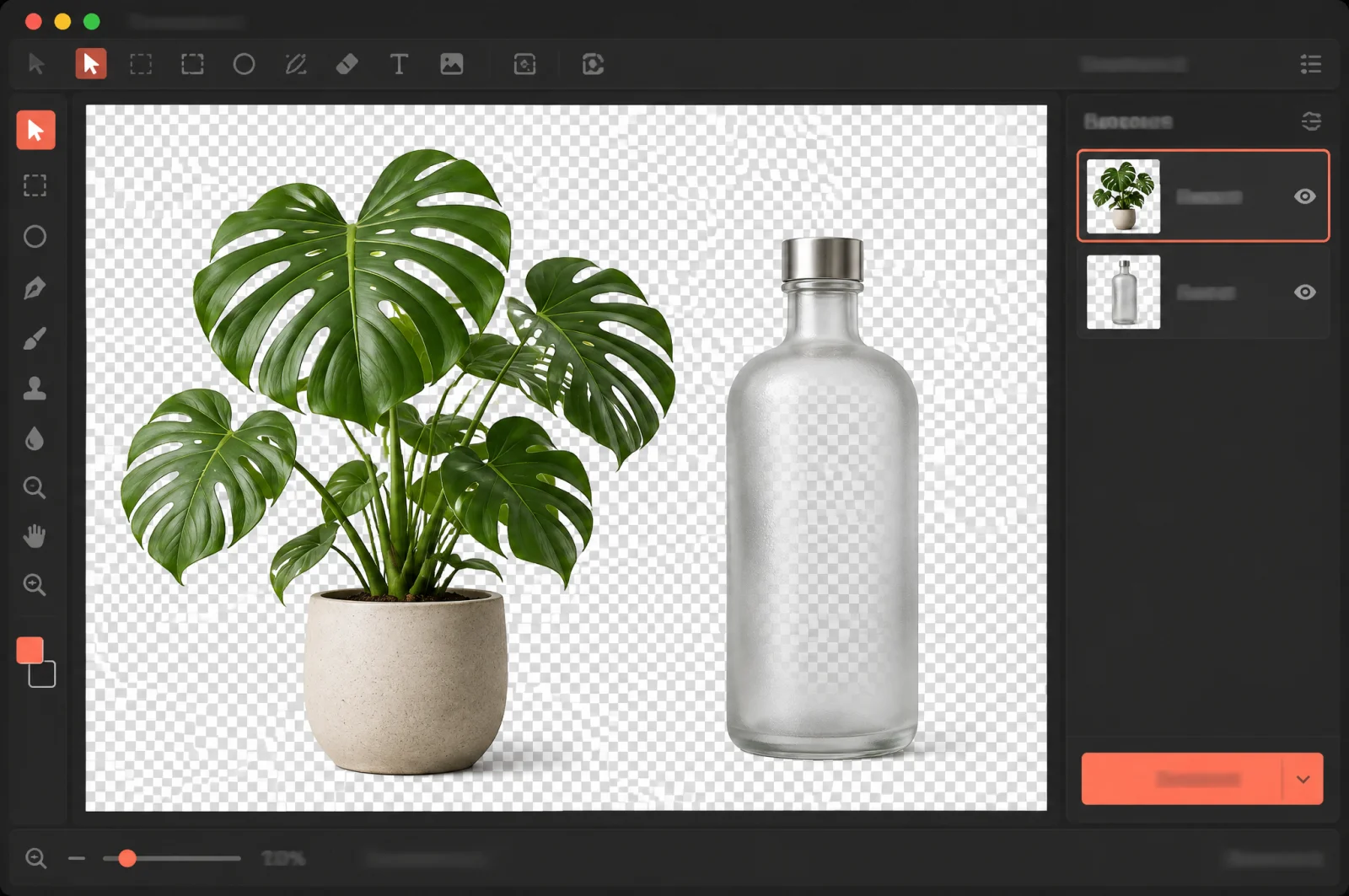
Native Transparent Backgrounds
Seedream 5.5 generates images with an alpha channel, including full and partial transparency. On ModelFold, set background to transparent with output_format png; in our test, a 2K request returned a 2048×2048 PNG with an alpha channel.
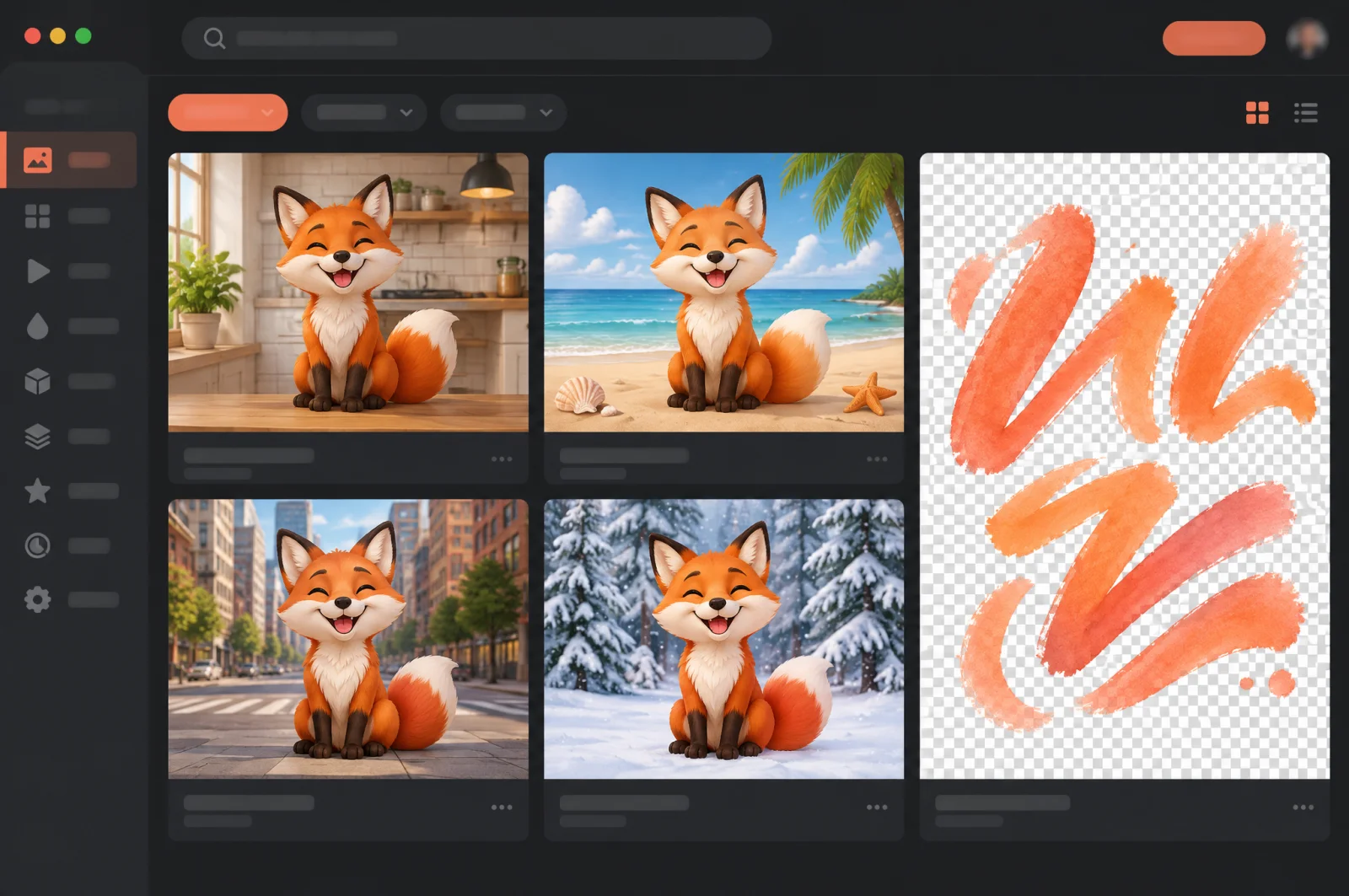
Reusable Characters and Styled Text Assets
Characters can be reused as references across scenes while keeping their defining features and textures, and a reference image's brushwork, colors and materials can be applied to chosen text to produce transparent text assets.
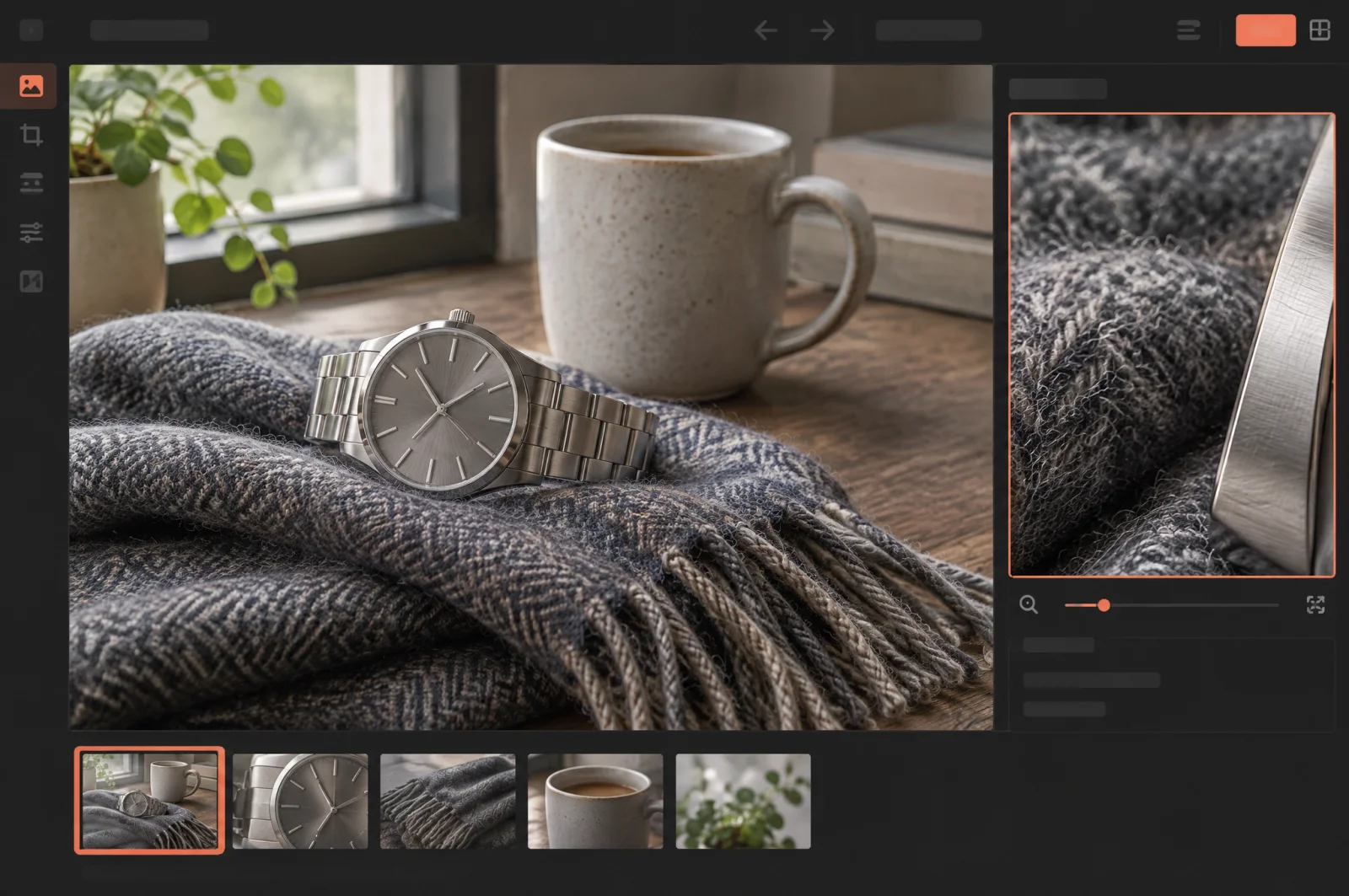
More Realistic Lighting, Materials and Skin
Lighting, materials and skin textures look more natural, with less excessive gloss and overexposure and fewer blotchy textures in some images.
Clearer Written Characters and Small Text
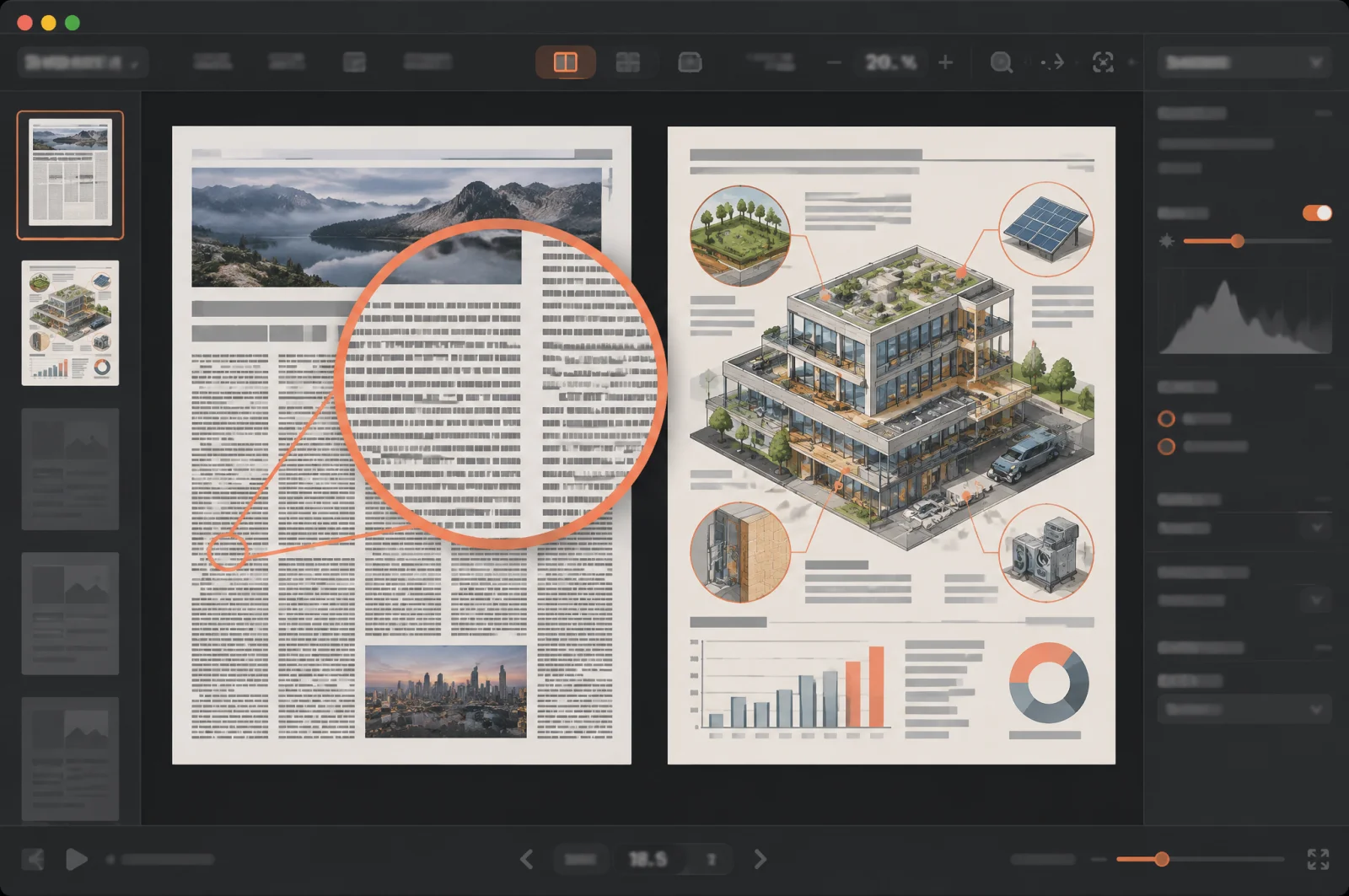
Seedream 5.5 renders complex character shapes and densely arranged small text more accurately, from newspaper-style pages to infographics.
Layer Decomposition Into Editable Layers
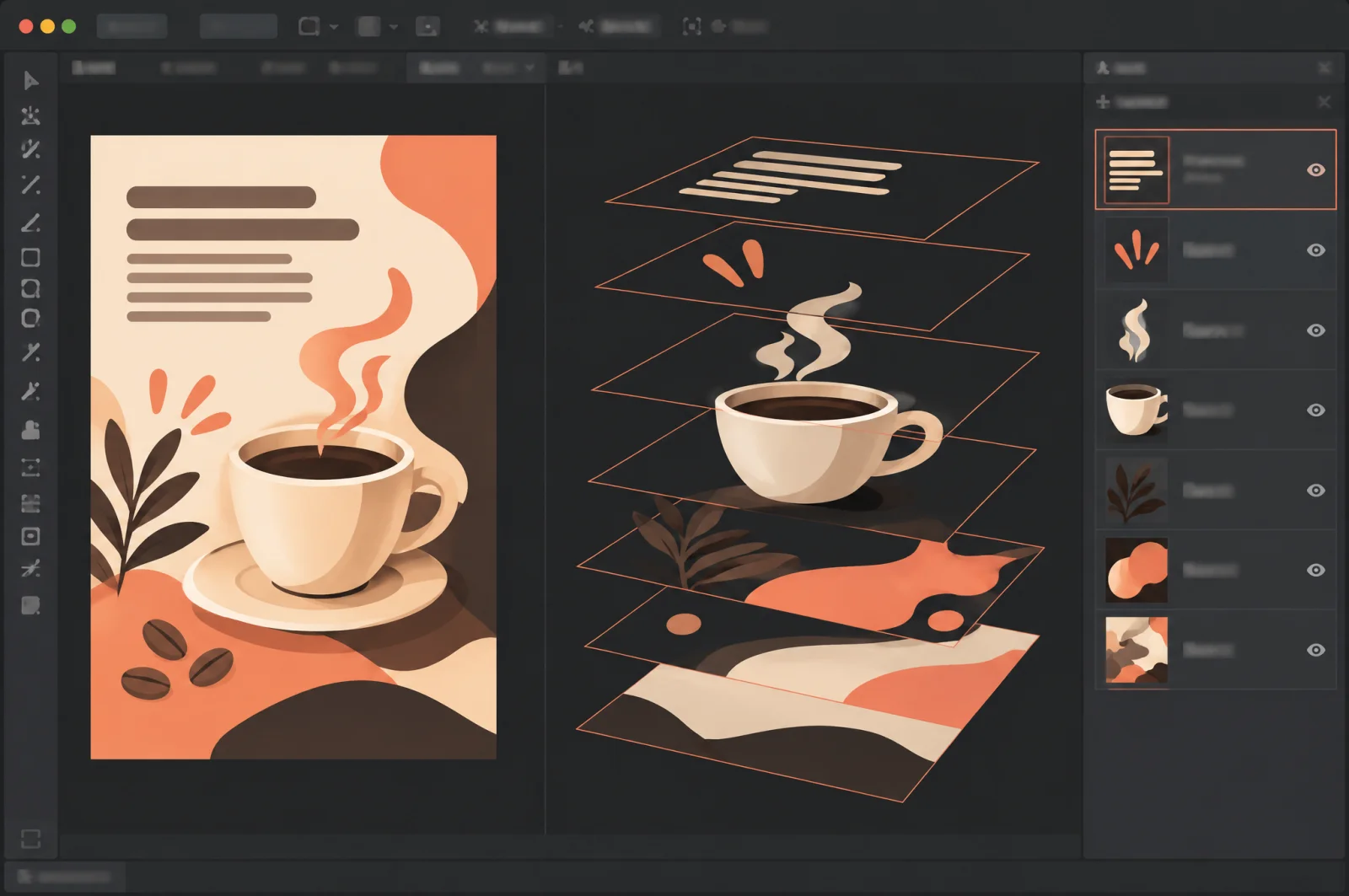
The seedream/5-5-layer-decomposition model splits one image into a base image plus layers, up to 100 outputs in total (default 30), and returns each layer's z_index, bounding box, name and description. An optional prompt can point at an element with a bbox tag, and text_recognition can be switched on to recognize text in the layers.
Seedream 5.5 Compared With Seedream 5.0 Pro
Results from ByteDance's own evaluation on its MagicArena platform, scored by experienced evaluators across six use cases.
| Measure | ByteDance's own evaluation |
|---|---|
| Use cases tested | E-commerce, marketing, film and television, gaming, office productivity, fashion design |
| Quality scores and usability rates | Improved across all six use cases versus Seedream 5.0 Pro |
| Usability rates in film and television and office productivity | More than twice those of Seedream 5.0 Pro |
| Pairwise preference (GSB) versus the previous version | Positive in all four comparisons, reaching +55.62% for realism in image-to-image tasks |
| Severe text corruption rate | Fell to 0.4% |
| Minor text corruption rate | Fell to 1.7% |
Seedream 5.5 API Parameters on ModelFold
Request parameters for the three Seedream 5.5 models on ModelFold, as listed in the ModelFold API docs.
| Parameter | Seedream 5.5 on ModelFold |
|---|---|
| Models | seedream/5-5-text-to-image, seedream/5-5-image-to-image, seedream/5-5-layer-decomposition |
| Endpoint | POST https://modelfold.ai/v1/images/generations |
| prompt | Text to image and image to image: required, 5 to 5,000 characters; layer decomposition: optional, up to 2,000 characters, with bbox tags to mark elements |
| aspect_ratio | Required. Text to image: 1:1, 4:3, 3:4, 16:9, 9:16, 2:3, 3:2 or 21:9; image to image: the same values plus auto |
| size | 1K, 1.5K or 2K (default 2K); layer decomposition also accepts auto (default), which keeps the input size within 1K to 2K and is billed at the 2K rate |
| output_format | png (default) or jpeg; in layer decomposition it applies to the base image only, and the separated layers are always PNG |
| background | Text to image and image to image: auto (default), transparent or opaque; transparent output needs png |
| image_urls | Image to image: required, 1 to 10 publicly accessible image URLs; JPEG, PNG or WEBP, up to 10 MB each; each input image is billed separately |
| image_url | The one image to split in layer decomposition: JPEG, PNG or WEBP, up to 10 MB |
| max_images | Layer decomposition: 2 to 100 outputs (default 30), one base image plus layers; billing counts the images actually returned |
| text_recognition | Layer decomposition: optional, off by default; recognizes text in the layers |
| Output images per request | 1 for text to image and image to image |
How to Use the Seedream 5.5 API on ModelFold
Seedream 5.5 runs as an asynchronous task on the ModelFold unified task API.
- 1
Step 1: Try It in the Playground
Open the playground on this page, choose text to image, image to image or layer decomposition, and check results before you write any code.
- 2
Step 2: Get Your API Key
Create an API key on your ModelFold API Key Management page and include it in every request as Authorization: Bearer YOUR_API_KEY.
- 3
Step 3: Send Your First Request
Send a POST request to https://modelfold.ai/v1/images/generations with model set to "seedream/5-5-text-to-image". Put the prompt in the JSON body and set aspect_ratio to "1:1", size to "1K", output_format to "png" and background to "transparent". Do not wrap parameters in input. The response returns data[].url when generation finishes.
- ✓
Step 4: Collect the Result
Check the task with the Get Task Details endpoint using its taskId, or pass a callBackUrl to be notified when it finishes, then download the image.
What You Can Build With Seedream 5.5
Iterative Image Editing Tools
Let your users refine one image step by step, changing a product, an accessory or an object's position, while unedited regions stay intact and detail holds up across edits.
Design Assets With Transparent Backgrounds
Create standalone design assets with full or partial transparency that can be used without separate background removal or edge cleanup; on ModelFold, request them with background set to transparent and PNG output.
E-Commerce and Marketing Visuals
Produce product and campaign visuals with natural lighting and material textures.
Text-Heavy Layouts
Generate posters, infographics and other visuals with complex character shapes and densely arranged small text; the evaluation table on this page shows the text corruption rates.
Seedream 5.5 on ModelFold
Three Seedream 5.5 Models, One Endpoint
Text to image, image to image and layer decomposition each have their own model name and all run on POST /v1/images/generations, so one integration covers generation, editing and layering.
Seedream 5.0 Flash and Pro Are Here Too
Seedream 5.0 Flash and Seedream 5.0 Pro are also available on ModelFold with the same key, so you can compare versions on your own prompts.
One Key Across the ModelFold Market
All models in the ModelFold market use the same authentication method: an Authorization: Bearer YOUR_API_KEY header with the key from your ModelFold API Key Management page. Your account has one credit balance that all generation services draw from, and you can check it with the Get Remaining Credits API.
Nothing to Host
ModelFold provides its models as an API; there are no GPUs or model weights to manage.
Frequently Asked Questions
What are the main features of Seedream 5.5?⌄
Seedream 5.5 brings consistent multi-turn editing that preserves unedited regions, native generation of images with transparent backgrounds, more natural lighting, materials and skin textures, and more accurate rendering of complex characters and dense small text.
Can I keep editing the same image over many rounds?⌄
Yes. Seedream 5.5 supports continued editing of the same image over many rounds, keeping unedited regions intact at the pixel level, removing color shifts in those areas and reducing detail loss.
Can Seedream 5.5 create images with transparent backgrounds?⌄
Yes. On ModelFold, set background to transparent and output_format to png in a text-to-image or image-to-image request. In our test, a 2K request returned a 2048×2048 PNG with an alpha channel. JPEG output cannot be transparent.
Can I use reference images with Seedream 5.5?⌄
Yes. Use the seedream/5-5-image-to-image model and pass 1 to 10 reference images in image_urls together with a prompt and an aspect_ratio, which also accepts auto. Each input image is billed separately, and characters can be reused as references across scenes.
What is layer decomposition in Seedream 5.5?⌄
It is a separate model, seedream/5-5-layer-decomposition, that splits one image into a base image and separate PNG layers. Each layer comes back with its stacking order, bounding box, name and description; you cap the number of outputs with max_images and can switch on text_recognition.
How does Seedream 5.5 compare with Seedream 5.0 Pro?⌄
The comparison table on this page shows the evaluation results against Seedream 5.0 Pro across six use cases, from e-commerce to fashion design, including quality, usability and text corruption figures.
What aspect ratios and sizes does the Seedream 5.5 API support?⌄
Both text to image and image to image require an aspect_ratio; image to image also accepts auto. Both take a size of 1K, 1.5K or 2K, with 2K as the default, and layer decomposition also accepts auto for size. The parameter table on this page lists every option.
How do I send my first Seedream 5.5 API request?⌄
Get your API key, then POST to https://modelfold.ai/v1/images/generations with the model seedream/5-5-text-to-image, a prompt and an aspect_ratio. The response includes data[].url. The steps on this page show the request settings.
How much does the Seedream 5.5 API cost?⌄
Seedream 5.5 is billed per output image by size, and input images are charged as well. Layer decomposition is billed for every image it returns, and size auto is billed at the 2K rate. Current rates are in the pricing card on this page. Your account has one credit balance that all generation services draw from; check it with the Get Remaining Credits API.
| 5 5 テキストから画像 | |
| 1K / 1.5K | 5 クレジット / 枚 |
| 2K | 8 クレジット / 枚 |
| 5 5 画像から画像 | |
| 1K / 1.5K | 5 クレジット / 枚 |
| 2K | 8 クレジット / 枚 |
| 5 5 レイヤー分解 | |
| 1K / 1.5K | 4.32 クレジット / 枚 |
| 2K | 7.56 クレジット / 枚 |
5 5 画像から画像:1K:画像 1 枚あたり 5 クレジット, 1.5K:画像 1 枚あたり 5 クレジット, 2K:画像 1 枚あたり 8 クレジット; 参照画像 1 枚につき +1.728 クレジット(合計を切り上げ).
5 5 レイヤー分解:出力画像ごとに課金し、ベース画像と各レイヤーをそれぞれ 1 枚と数えます:1K / 1.5K:1 枚あたり 4.32 クレジット, 2K:1 枚あたり 7.56 クレジット。Auto は 2K として課金します。開始時に 30 枚分を確保し、完了後に実際の枚数で精算します。
curl https://modelfold.ai/v1/images/generations \
  -H "Authorization: Bearer $MODELFOLD_API_KEY" \
  -H "Content-Type: application/json" \
  -d '{"model":"seedream/5-5-text-to-image","prompt":"..."}'